Blox Fruits Event Claims: Verify the Date, Requirements and Reward Before Changing Plans
An event headline can mix a current announcement, an old reward and a creator’s prediction. Verify each part before interrupting your progression route, spending an item or following instructions that promise a limited reward.
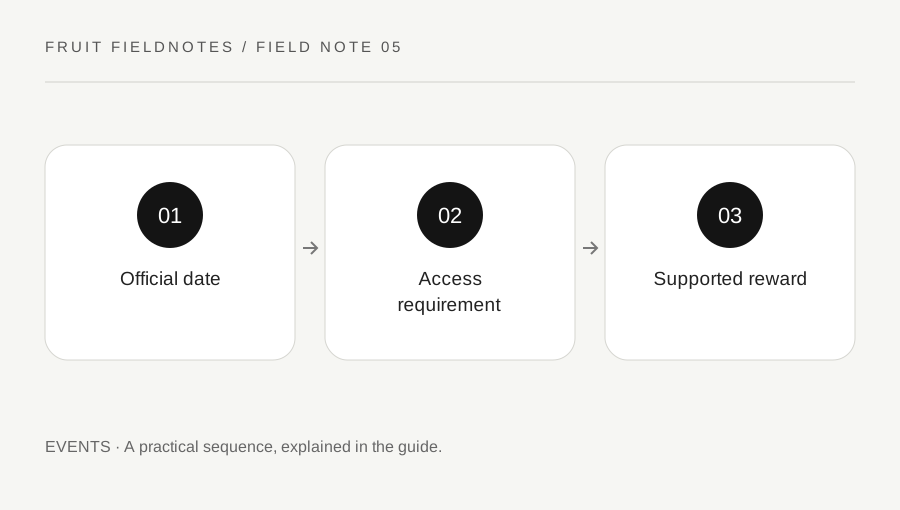
Original explanatory diagram. Examples illustrate a method or decision; they are not claims of personal testing.
Find the announcement behind the claim
Start with the official Blox Fruits experience page and Gamer Robot's news. Look for the dated announcement that supports the event claim. A reposted image or a video title can be useful as a prompt to investigate, but it does not establish current availability by itself.
Check whether the information describes an event already released, a future plan or a past celebration. The same seasonal name can appear in different years with different conditions. Keep the exact date and source in your note rather than writing only "the new event."
For example, a post about a past holiday reward may circulate again when the season returns. That does not prove the reward is available this year. If the official material does not state the current access conditions, keep them unconfirmed. Avoid turning the absence of a clear answer into a confident invented schedule or a fixed countdown copied from an unrelated timezone.
Break eligibility into separate questions
Ask whether your account can reach the event location, meet the visible requirements and perform the stated activity. Server access, sea progression, equipment and event availability can be different conditions. Do not assume that entering Blox Fruits means every seasonal activity is immediately accessible.
Read the current in-game prompt before committing a resource. If the claim depends on an item, identify whether it must be owned, equipped, delivered or consumed. Those words imply different consequences, and a screenshot that omits the confirmation text may hide the most important part.
Suppose a friend says an event needs a particular item but cannot show a current official or in-game requirement. Treat the statement as a question to verify. Do not trade away a useful item or buy a service solely to satisfy an unconfirmed condition. A short eligibility check can prevent a long detour built on a misunderstanding rather than a real access requirement.
Inspect the reward and completion signal
Determine what the event actually grants and how completion is confirmed. A decorative reward, a consumable resource and a permanent entitlement are different outcomes. Use the current description instead of assuming that a familiar icon has the same meaning as a reward from another update.
If participation uses a supported random reward system, do not treat a possibility as a guarantee. This guide does not reproduce unverified probabilities or imply that a certain number of attempts must produce an item. Decide whether the activity is worthwhile without requiring an outcome the official information does not promise.
After completing the intended action, inspect the current progress or inventory state. Do not repeat a costly step merely because a celebration effect was unclear. Confirm what changed, preserve an error message if there is one and use the appropriate official help route for an actual transaction or technical issue. Another player's assertion that "everyone gets it instantly" cannot replace the result shown on your account.
Fit the event into the session you actually want
Compare the verified activity with your existing goal and available time. You can choose a small participation target, such as confirming access and completing one supported task, rather than trying to obtain every reward immediately.
Set a stopping point before beginning. This protects the session from becoming an endless response to urgency created by unofficial messages. A limited activity may be enjoyable, but the phrase "last chance" is not a substitute for a verified end date or a reason to accept unsafe trades.
Keep your notes dated and remove stale claims before sharing them with friends. If conditions remain unclear, say so. Good event planning makes the current requirements and expected outcome understandable. It does not need to predict future updates, promise rare rewards or turn every seasonal announcement into a demand for spending. The same source-checking habit also helps you return to ordinary progression once the specific activity you chose is complete.
A practical checklist
Choices are saved in this browser. Reset them here or clear this site’s browser storage.
Questions that come up
Does an old seasonal guide prove this year’s event is live?
No. Confirm the current announcement and in-game availability for the relevant year and update.
Should a possible random reward be treated as guaranteed?
No. Distinguish possibilities from confirmed rewards and avoid invented odds or guaranteed attempt counts.
What if the requirement remains unclear?
Keep it unconfirmed and avoid costly steps until current official information or the supported interface resolves it.
References & scope
Background references checked on 18 October 2026. Worked examples and diagrams are original teaching material.