Blox Fruits Private Sessions: Verify Access Before Organizing the Group
A private-server plan should begin with the official experience page and the permissions of the intended participants. Confirm that everyone can join through supported controls before promising a practice session, a quiet quest route or access to a particular progression area.
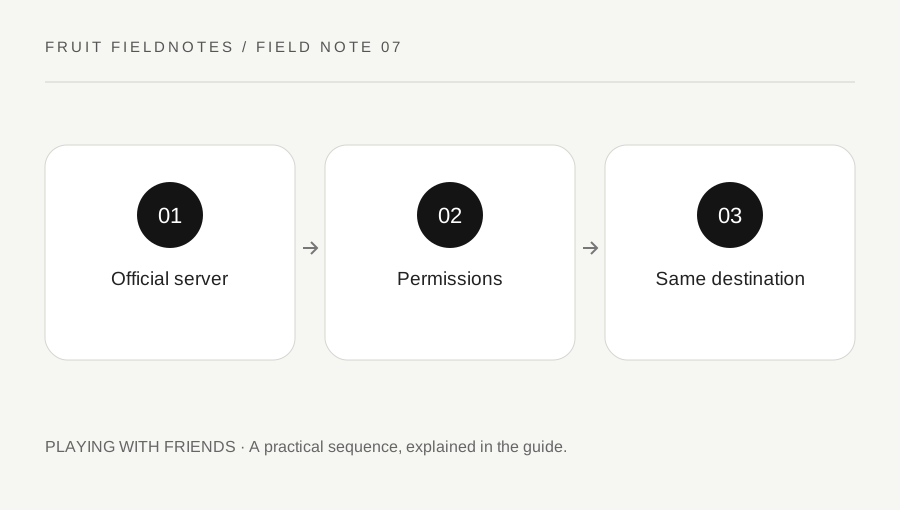
Original explanatory diagram. Examples illustrate a method or decision; they are not claims of personal testing.
Check the actual private-server option
Roblox explains that private servers are available when an experience creator enables them. Open the official Blox Fruits experience and inspect its current Servers section. Use the available listing and subscription information rather than assuming a price, capacity or feature from an old video.
If you are considering a paid option, read the current renewal and cancellation information before agreeing. A server subscription is separate from whether its current conditions fit your group's plan. This guide does not recommend a purchase or promise that a private server changes Blox Fruits mechanics.
For example, a group wanting to practice together should first establish that the intended server is accessible to its members. Buying access before checking permissions can leave the organizer with a server while a friend still cannot join. Availability in a listing is the start of the check, not proof that every participant meets the relevant platform and experience conditions.
Match the invitation with the intended account
Use the supported membership, friend-access or invitation controls shown for the server. Confirm actual usernames rather than relying only on display names. A similarly named account is not necessarily the friend you intended to invite.
Participants should check their own current privacy and content restrictions. Roblox's private-server help describes account-based restrictions, including age-related limits, that can affect joining. Do not try to bypass those controls or ask someone to misrepresent their account details.
If an invitation link is used, obtain it through the owner or a source you have verified. Do not enter a password into a site imitating Roblox because it claims to unlock private access. The owner can manage supported permissions without needing another player's login or security code. When a join fails, preserve the exact message and check the documented access conditions before trying unrelated technical changes.
Confirm the group reached the same place
Once joining works, verify that the intended players are present in the same session and progression area. Blox Fruits includes different seas and progression states; the ability to enter a server does not establish that every account can reach the same activity.
Agree on the first meeting location and a modest shared task. A practice sequence or a verified quest route is easier to organize than several unrelated objectives across different areas. Check the current interface for the actual supported travel and access requirements.
Do not claim that a private server guarantees rare spawns, removes every game risk or preserves a particular encounter indefinitely. This guide does not establish those mechanics. If the session depends on an activity with special conditions, verify those conditions separately in current official information and the live game. Server privacy, progression eligibility and activity availability are related planning questions, but they are not the same permission.
Keep the session plan maintainable
Before ending, decide whether the group intends to use the same server again. The owner should retain control of membership and review subscription status through Roblox's supported settings if applicable. Do not distribute an invitation publicly when the intention was a limited group.
Keep a short note of the owner, current joining method and the activity everyone could access. Avoid including private invitation details in a public guide. Recheck permissions after account-setting changes rather than assuming a past successful join guarantees every future one.
If someone cannot join later, distinguish an expired or unavailable server, a permission issue and a separate application error by reading the current message. Use the relevant official help route. A useful private session is one the group can actually enter and use for an agreed task. The planning benefit comes from clear access and coordination, not an unsupported promise that paying for a server automatically accelerates progression or changes the rules of Blox Fruits.
A practical checklist
Choices are saved in this browser. Reset them here or clear this site’s browser storage.
Questions that come up
Does a private server give every account access to every sea?
Do not assume that. Progression access must be checked separately through the current game requirements.
Can an invitation override account restrictions?
Use the supported Roblox settings and current restrictions. Do not attempt to bypass age, privacy or content controls.
Does this guide promise better rare-item odds?
No. Server access does not establish a different reward probability or guarantee a particular encounter.
References & scope
Background references checked on 18 October 2026. Worked examples and diagrams are original teaching material.